THE WEDDING PLANNer SPREADSHEET
Budget Your Wedding in One Place - Without Hiring an Expensive Planner
Wedding planning involves vendors, decisions, and lots of money you didn't expect to spend. This spreadsheet gives you 23 fully automated planning tabs - budget tracker, guest list, seating chart, vendor tracker, timelines, checklists - so you stay organised, in control, and under budget from engagement to "I do."
23 Tab Wedding Planner Spreadsheet
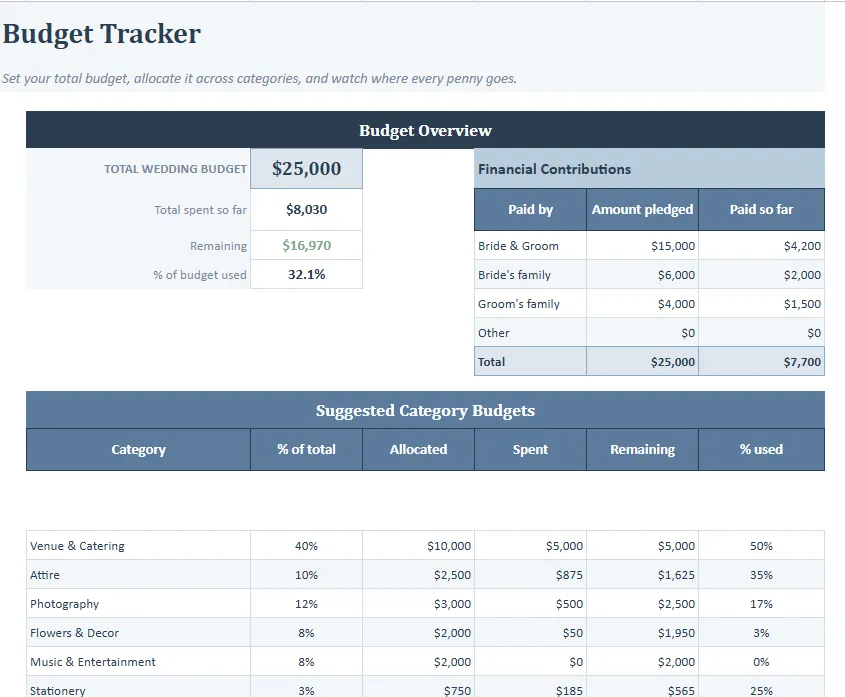
Budget Tracker That Updates Instantly
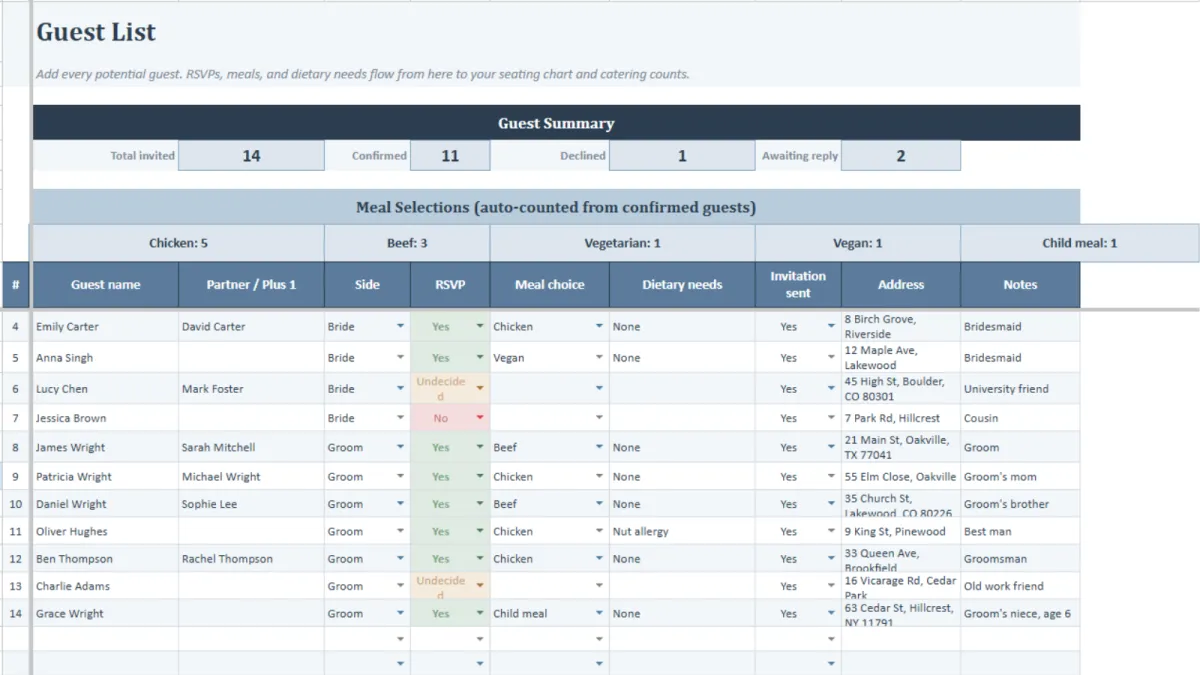
Guest List With RSVP Tracking
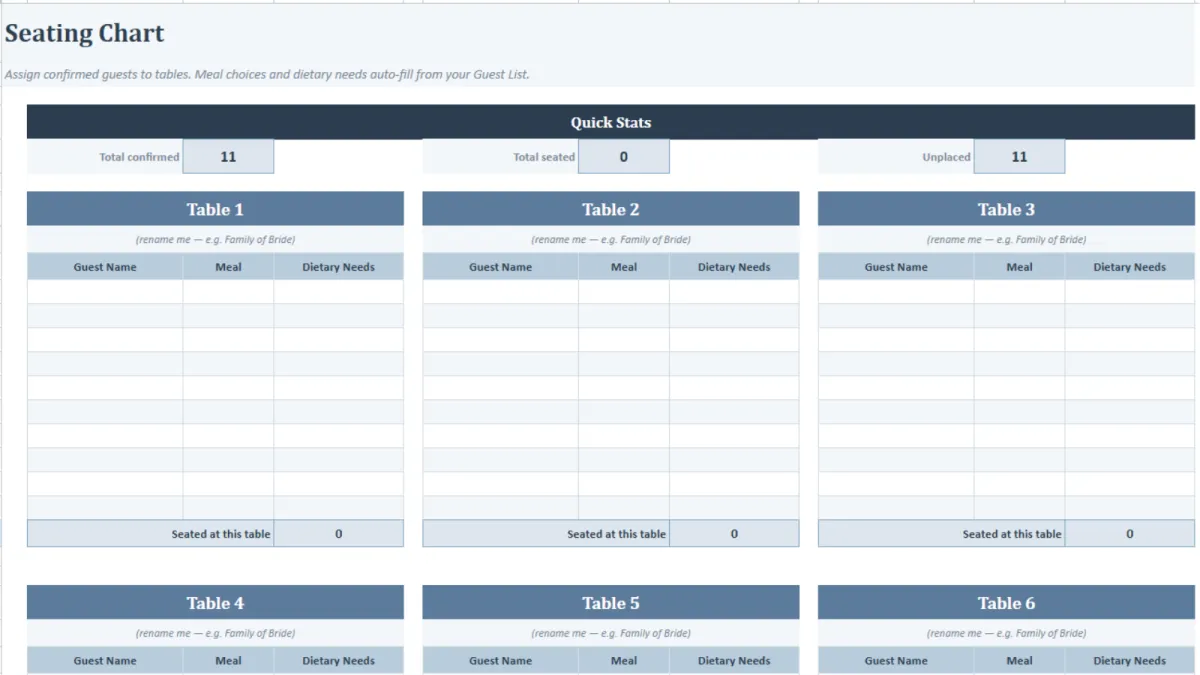
Seating Chart That Auto Fills
Vendor Tracking For Quotes, Desposits etc
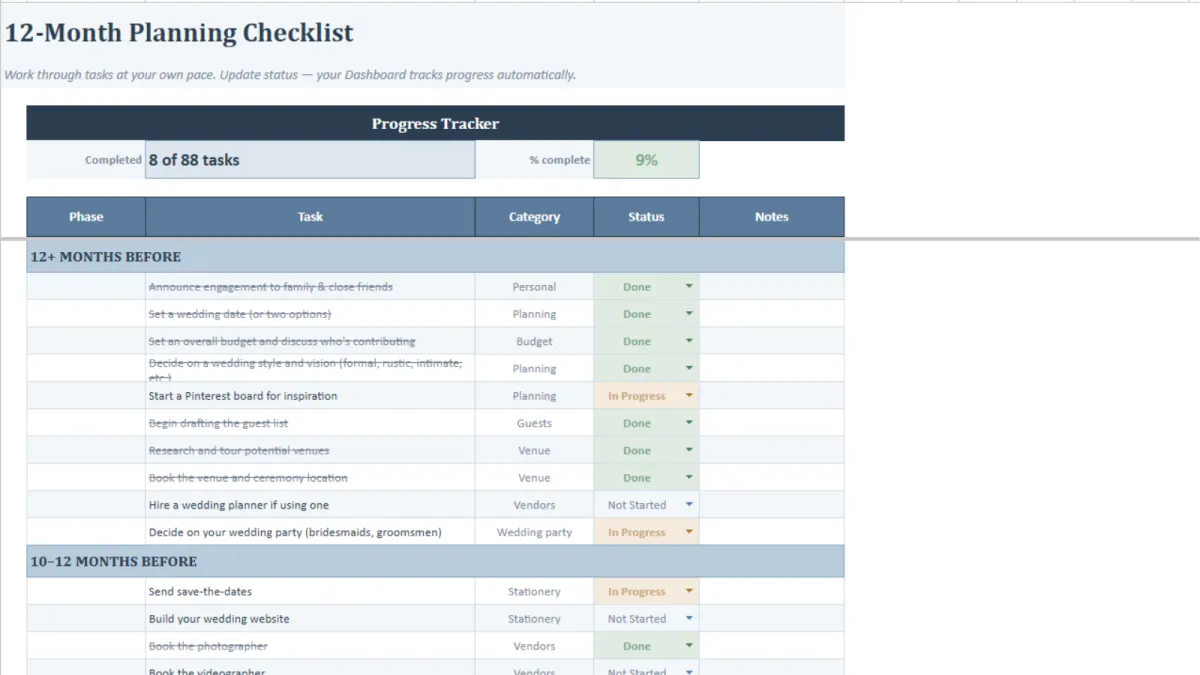
12 Month Checklists For Tasks & Progress
Works For Excel & Google Sheets
Instant Download & Use!
WARNING: THE AVERAGE WEDDING PLANNER COSTS $3,500+
Everything a Wedding Planner Would Organise For You — For the Price of a Takeout
570+ live formulas — your budget, guest counts, seating, and progress update automatically. No manual recalculating.
23 tabs, one file: budget, guests, vendors, seating, timelines, checklists, honeymoon, & more -nothing left in your head.
Built for two - works in Google Sheets so you and your partner always see the same numbers, the same guest list, the same to-do list.
Under $30 - A full-service planner costs thousands. This gives you the same organisational structure for less than a bunch of flowers.
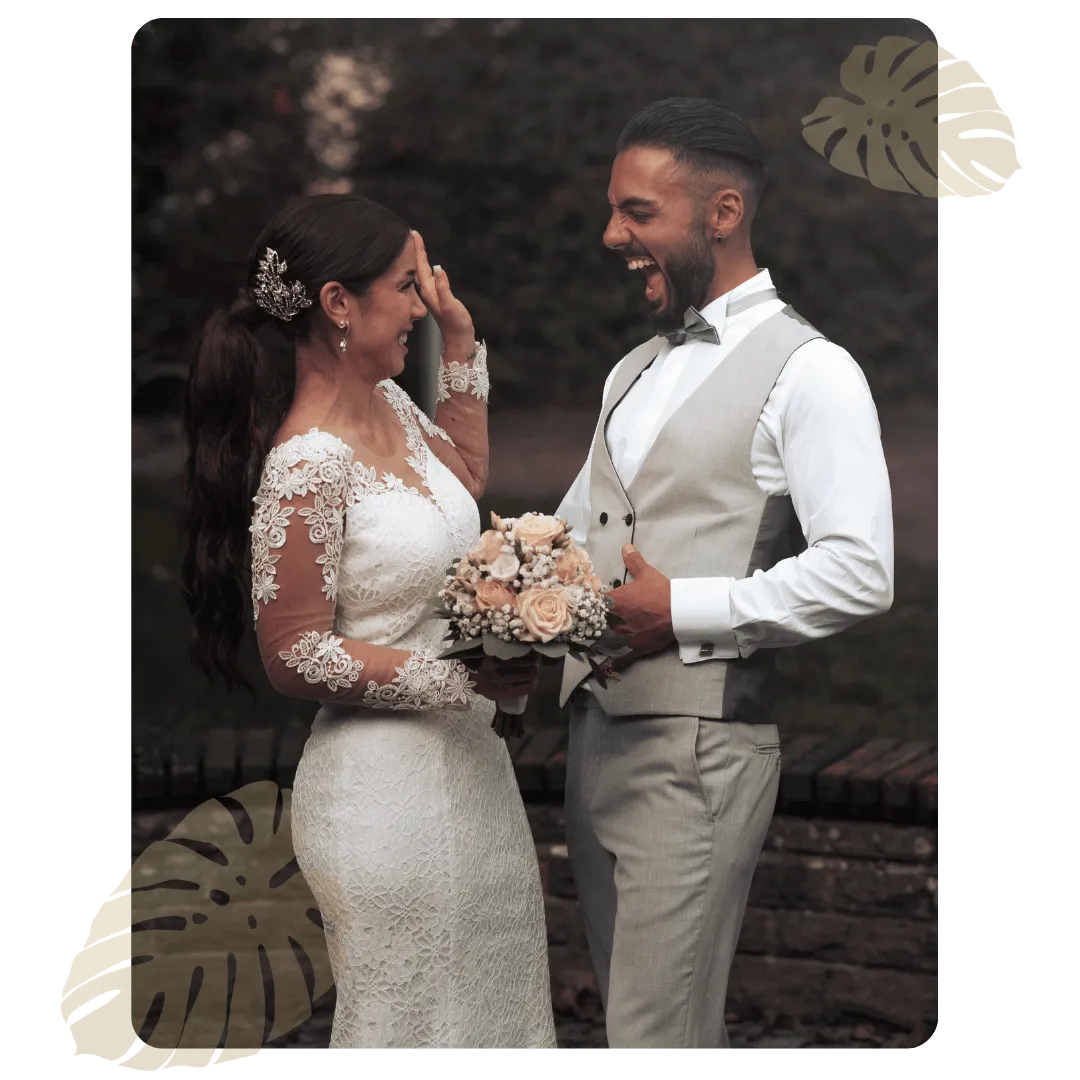
Most Couples Don't Need a Planner. They Need a System.
Most of what a planner does during the planning months isn't creative genius — it's structure. Checklists. Budgets. Chasing RSVPs. Tracking deposits. This spreadsheet gives you that same organisational backbone for $27 instead of $3,500.
How couples can benefit with our system:
Average wedding cost: $34,000
Average planner fee: $3,500–$5,500
Average vendors per wedding: 13
This spreadsheet: $27, yours forever
Stay under budget with less stress
PROCESS
How It Works - Just 5 Minutes to Set Up, 12 Months of Organized Planning

Set Your Budget
Open the Budget tab, enter your total number, and allocate across 10 categories. Every expense you log from here automatically updates your remaining balance.

Build Your Guest List
Add names, track RSVPs, assign meal choices and dietary needs. Confirmed counts, meal totals, and invite status update live at the top.

Book Your Vendors
Log each vendor with quotes, deposits, balance due, and contract status. Use the Venue Comparison tab to score up to 4 venues side by side.

Follow the Checklist
88 tasks across 12 months — from "announce engagement" to "send thank-you cards." Tick them off and your Dashboard progress bar updates automatically.

Seat Your Guests
Type a guest's name into any table seat. Their meal choice and dietary needs auto-fill from your Guest List. No retyping, no mismatches.

Plan Everything Else
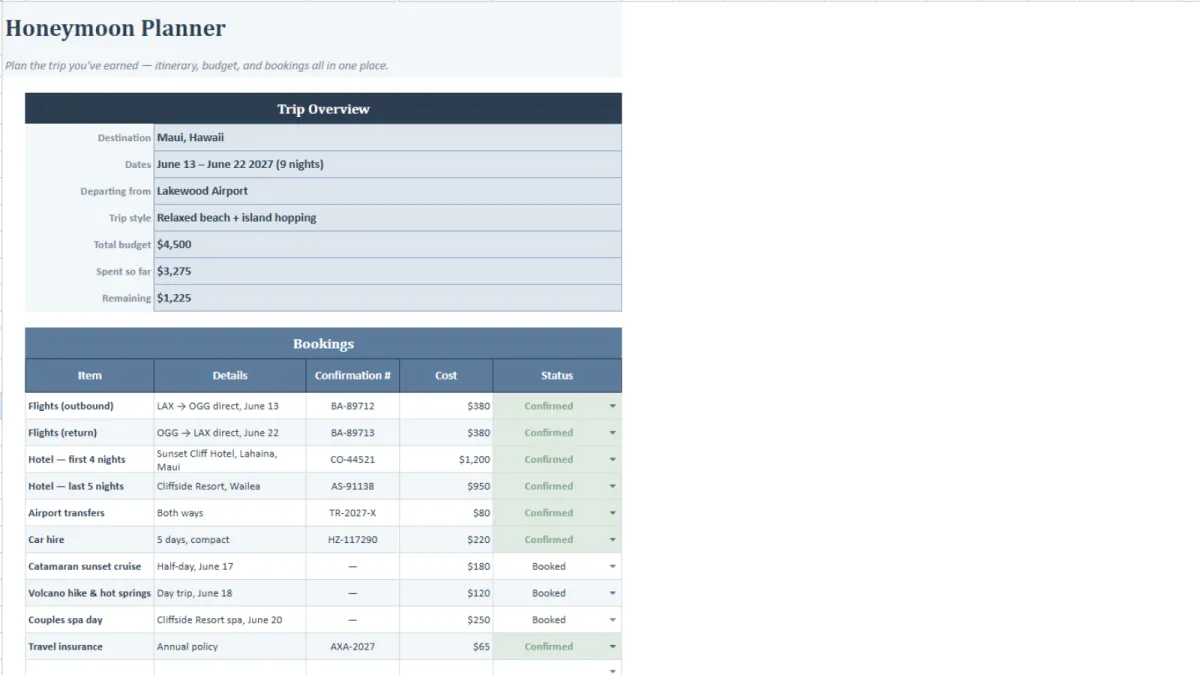
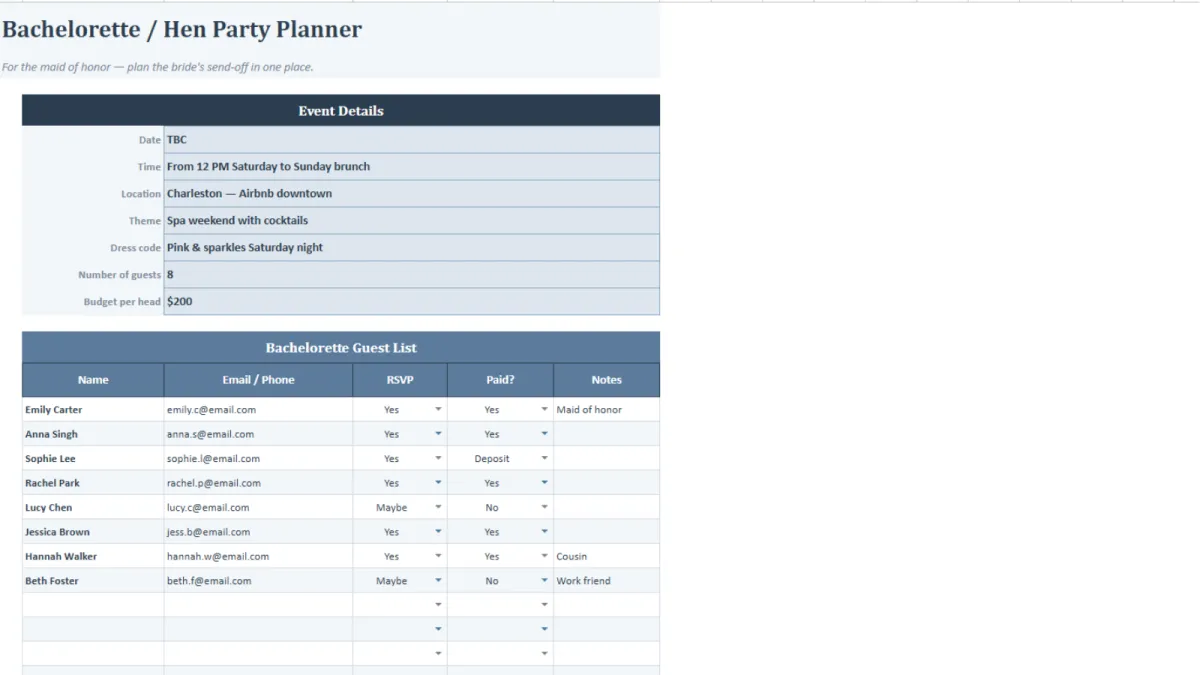
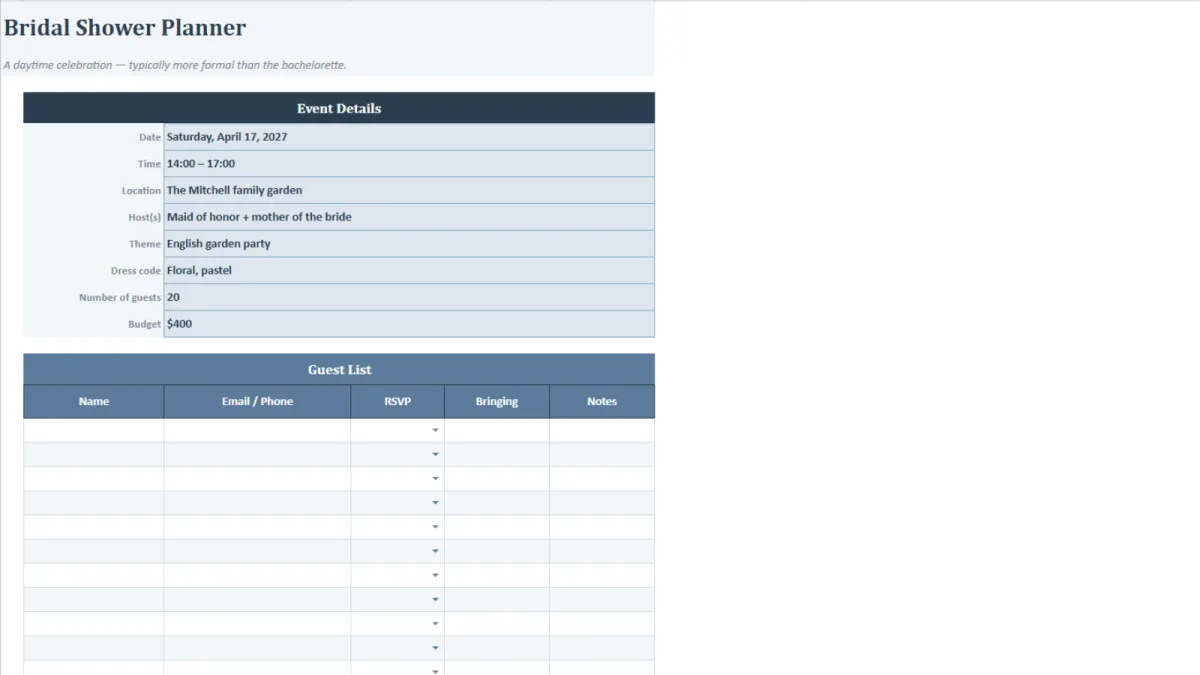
Bachelorette, bridal shower, rehearsal dinner, honeymoon, photography shot list, music playlist, emergency kit, packing lists, and a printable day-of binder. It's all in there.
WHAT'S INSIDE
23 Tabs. Every Stage of Planning. One File.
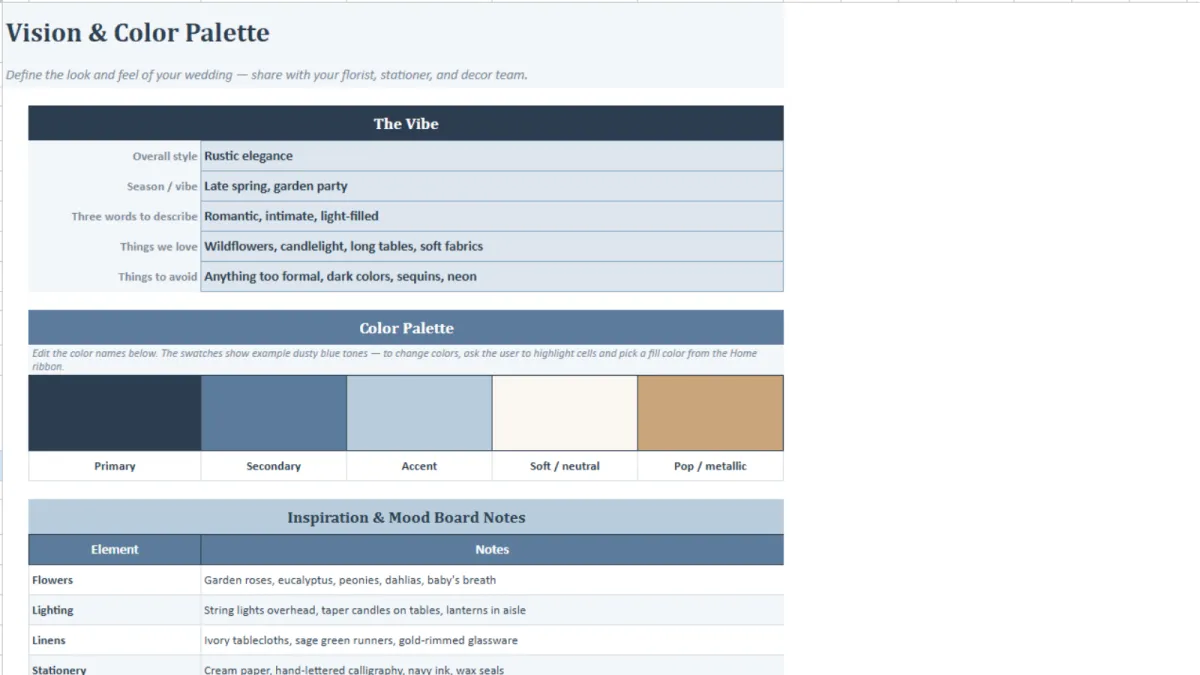
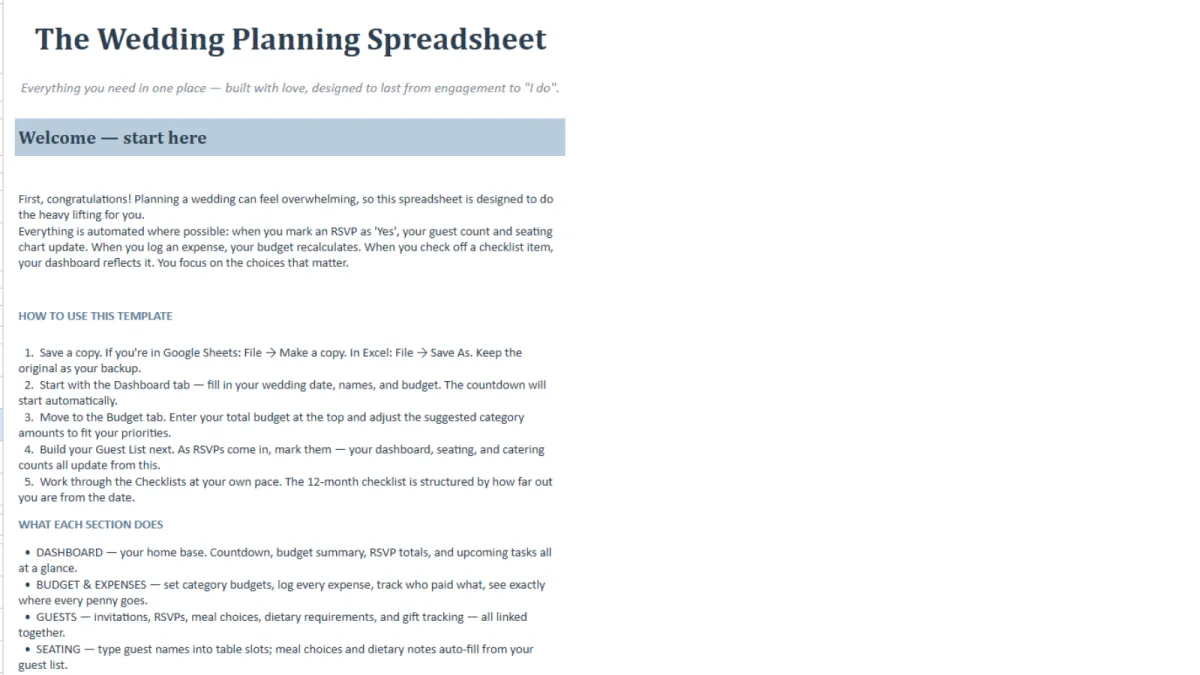
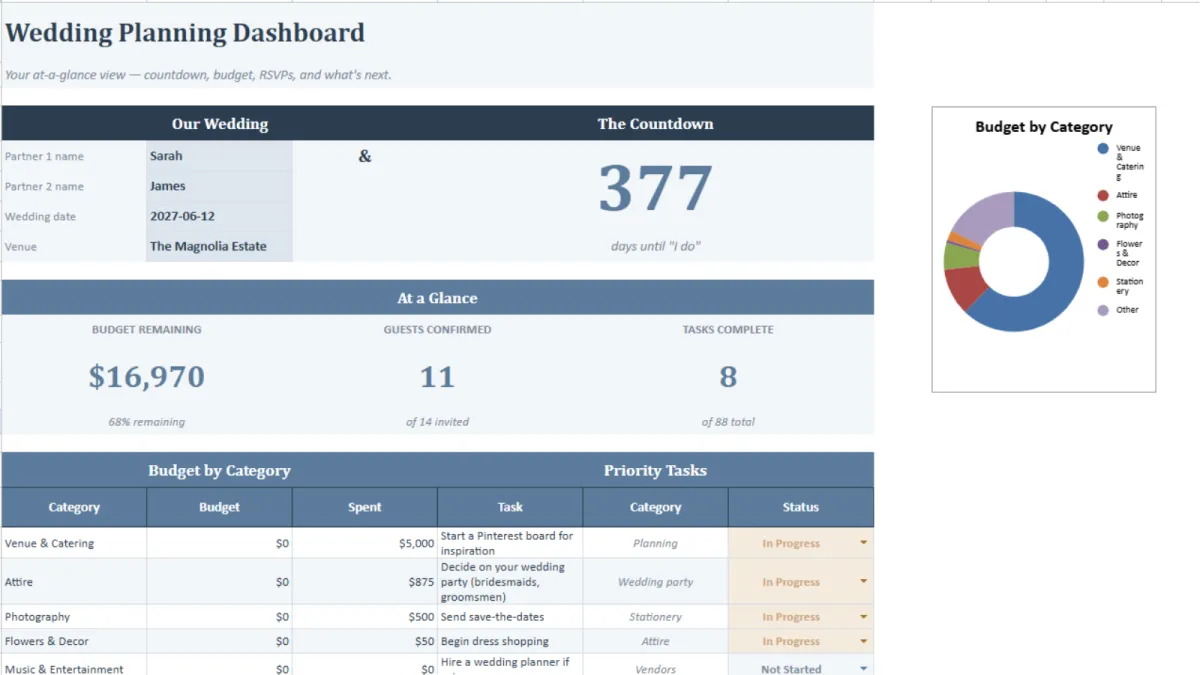
The Command Centre
Your home base. A live dashboard with budget remaining, guest count, task progress, and a countdown to your wedding day.
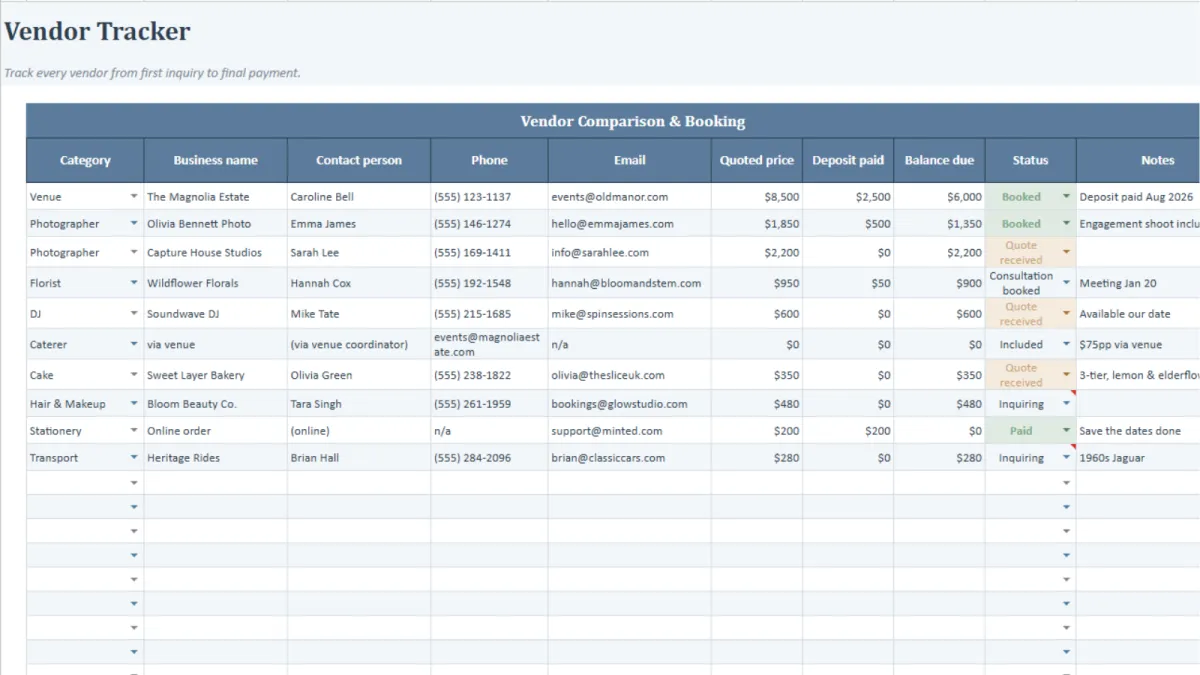
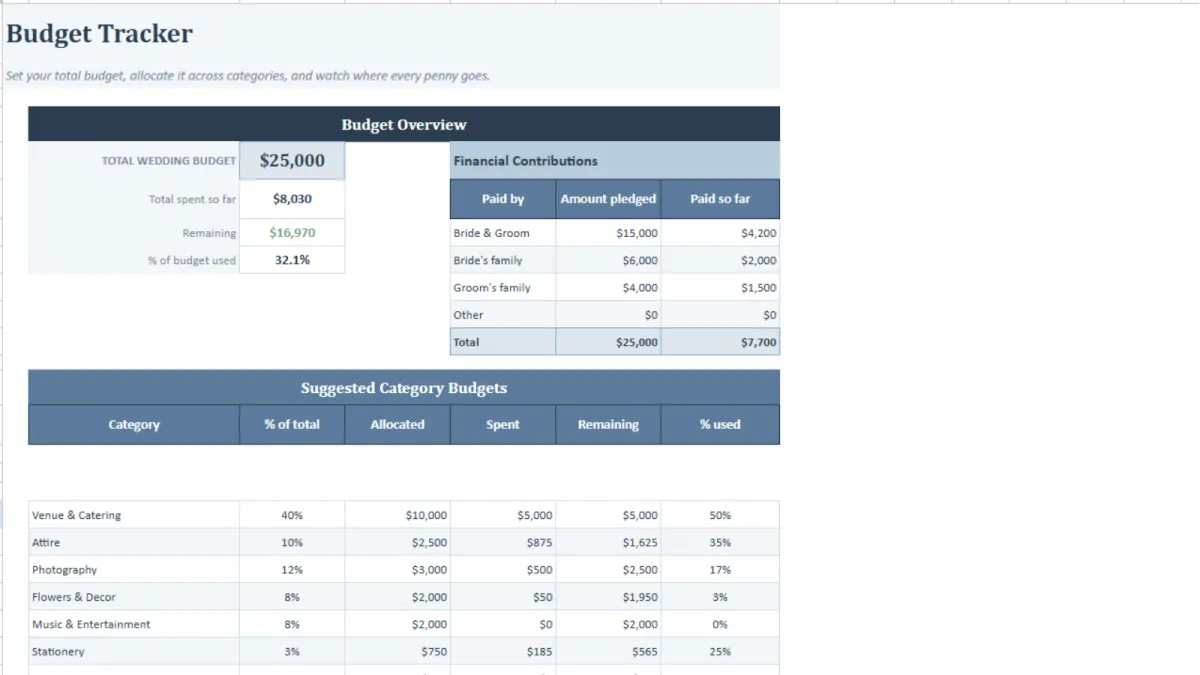
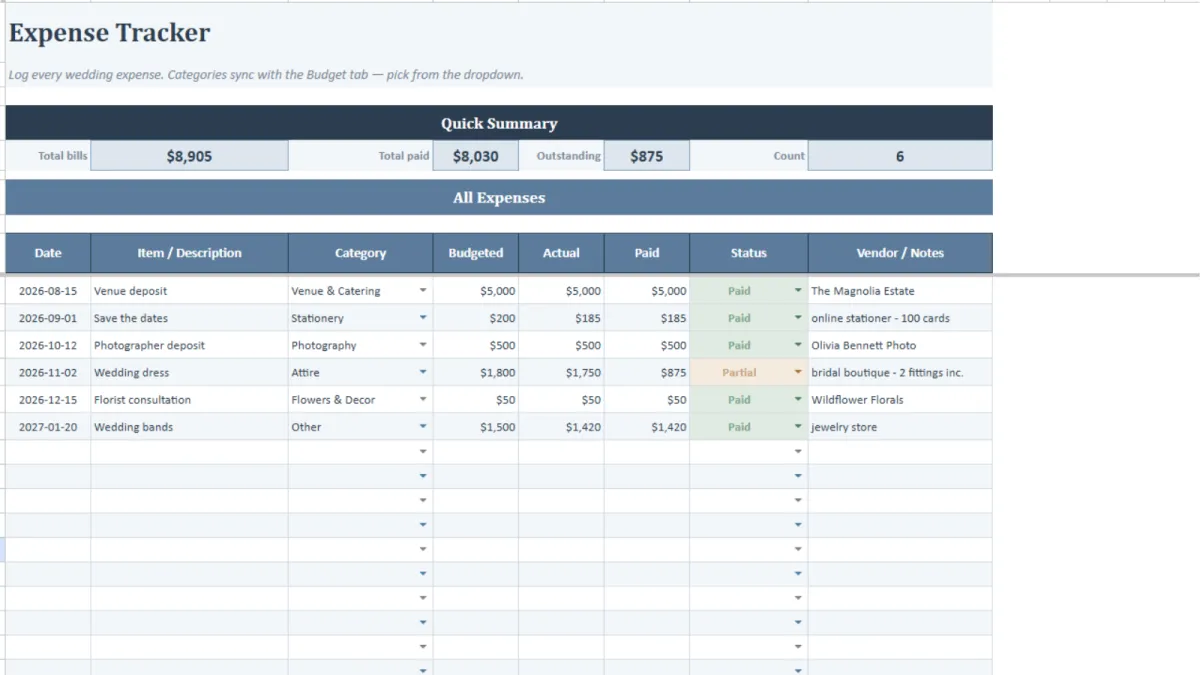
Money
Set your budget, log every expense, compare venue quotes side by side. Everything reconciles automatically.

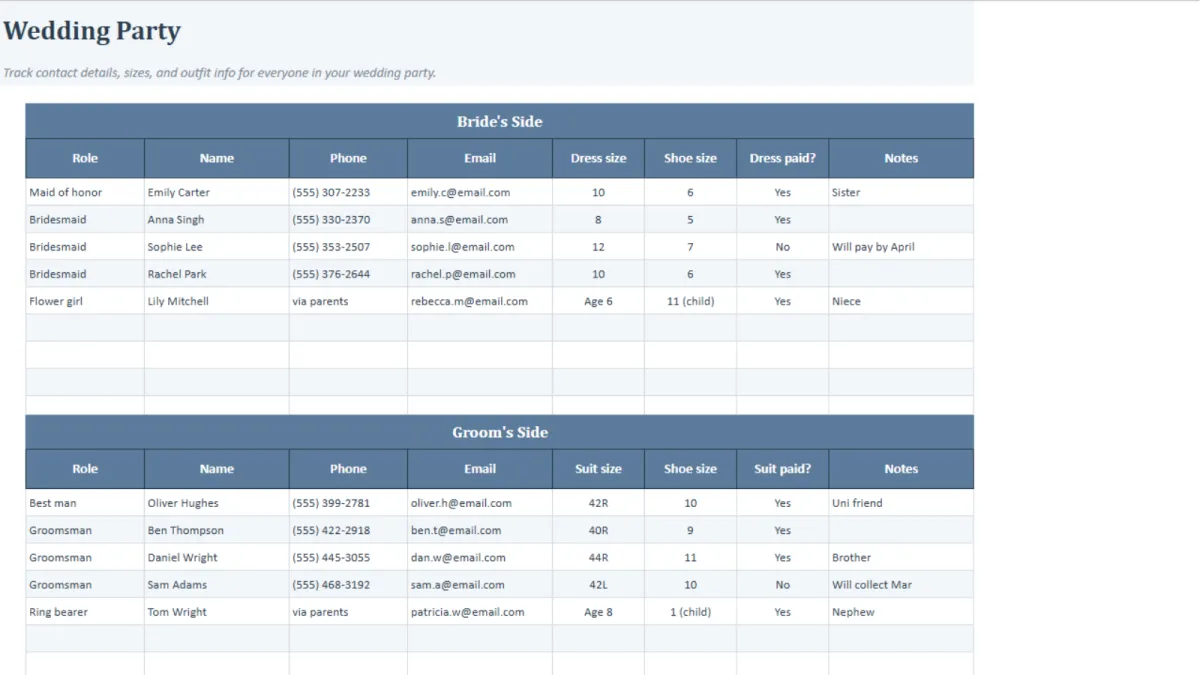
People
Guest list with RSVP and meal tracking. Seating chart that auto-fills. Wedding party roles, contact info, and sizing all in one place.
Planning
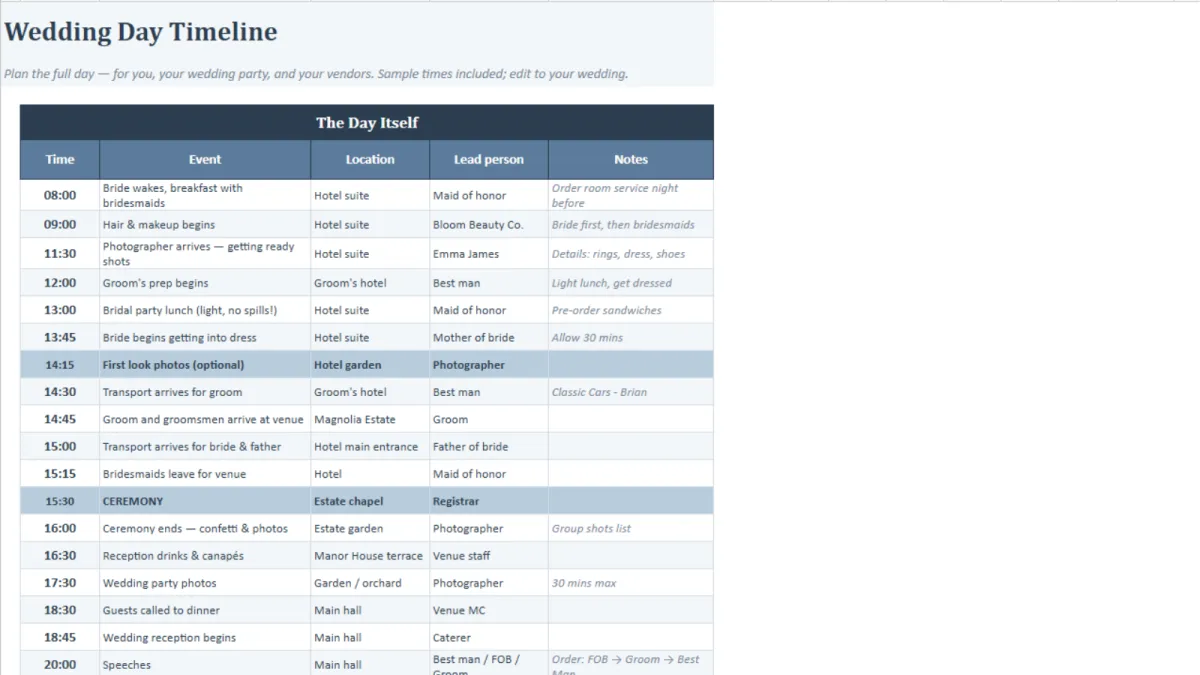
88 tasks across 12 months. A full day-of timeline. Every vendor tracked from first call to final payment.
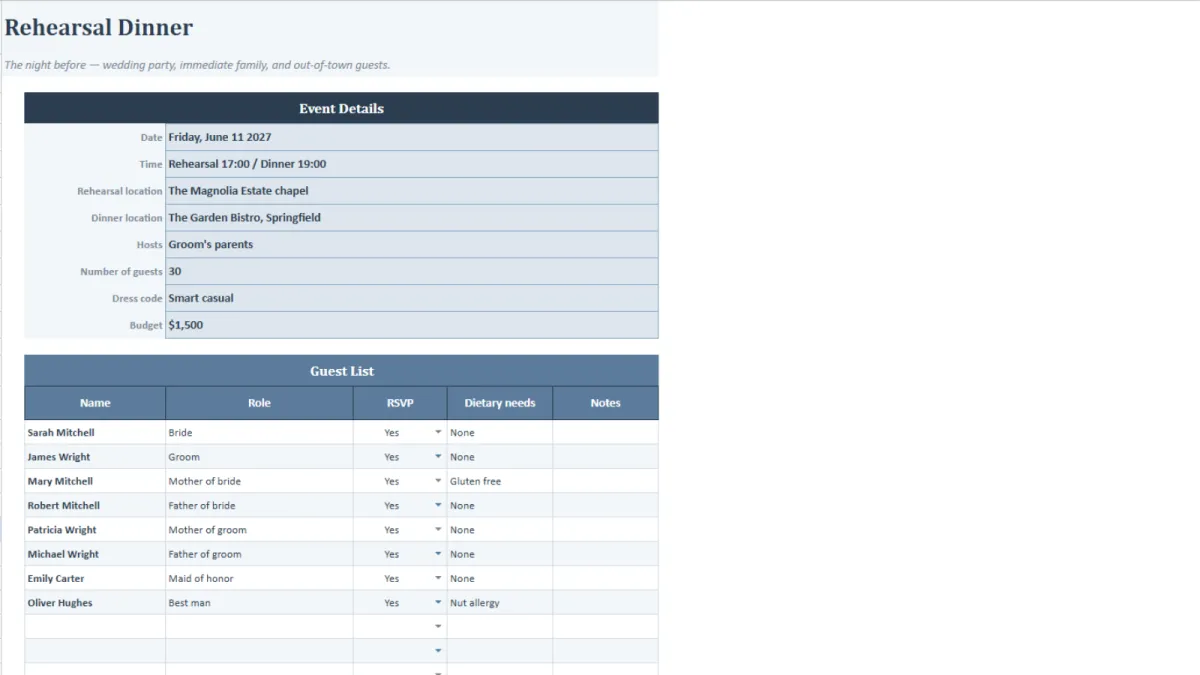
Events
Each event gets its own guest list, itinerary, budget, and checklist. Not placeholders — fully built out.
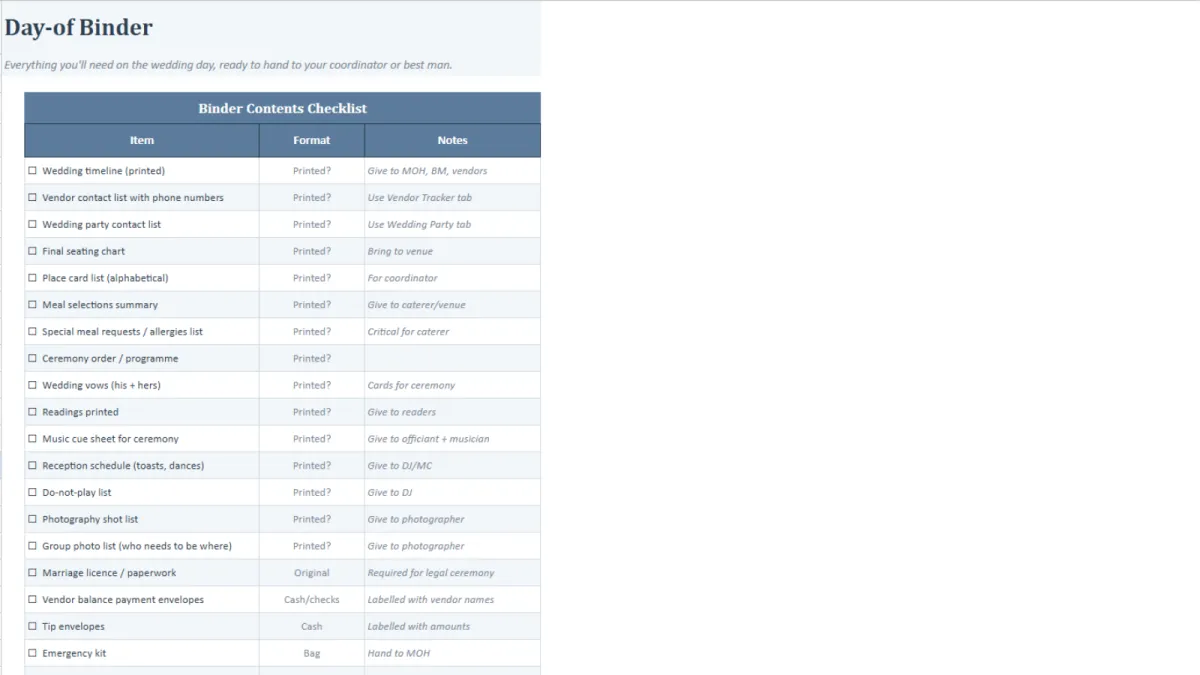
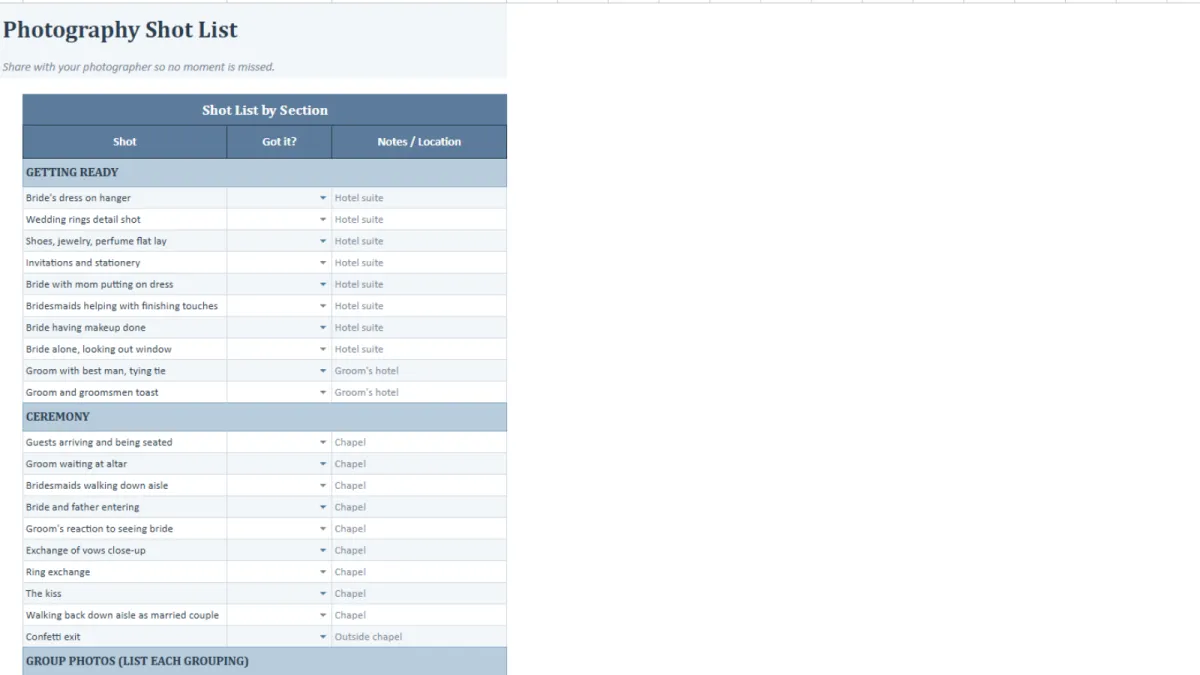
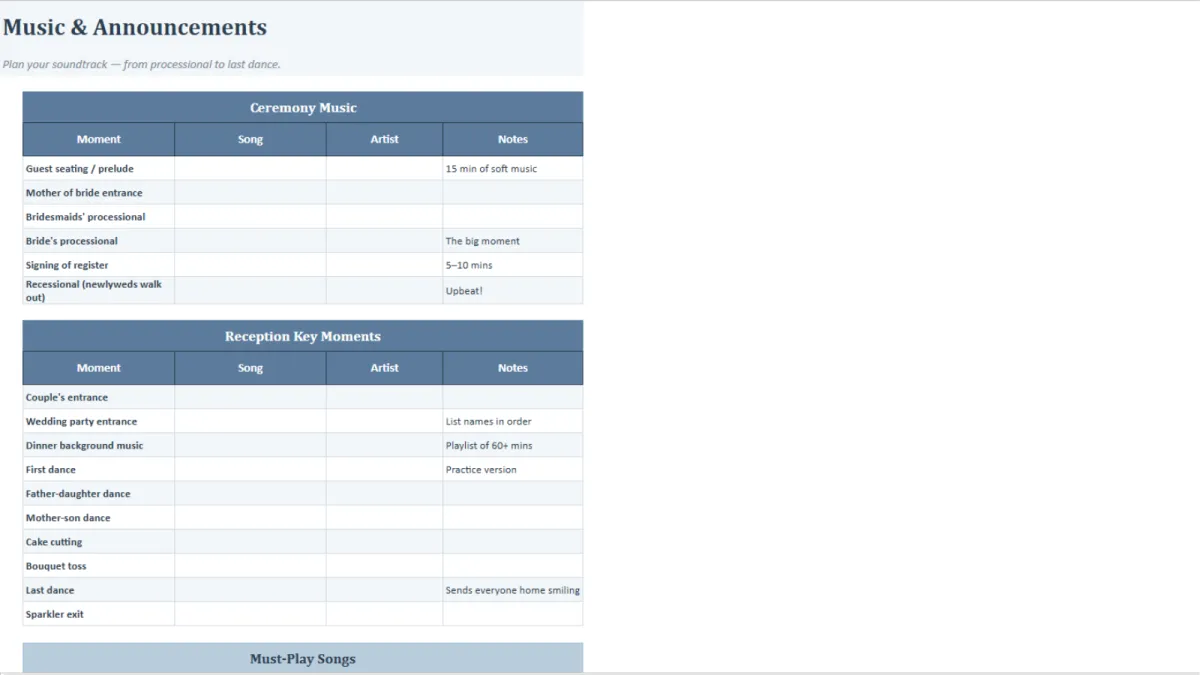
The Day-of
Shot list, music cue sheet, 65-item emergency kit, packing lists, and a printable binder with every contact and timeline your vendors need.
WHY YOU NEED THIS
Transform From Overwhelmed Bride to Confident Wedding Planner
Budget scattered everywhere
Lost track of payments
Seating redone every RSVP
Tasks forgotten by morning
Partner left in dark
Everything in one file
Payments tracked automatically
Seating updates itself
Live progress checklist
Both always in sync

4.9/5 star reviews from 100+ couples
The Complete Wedding Planner Spreadsheet:
23 tabs for Excel & Google Sheets. Fully editable. From engagement to "I do" — all in one file.
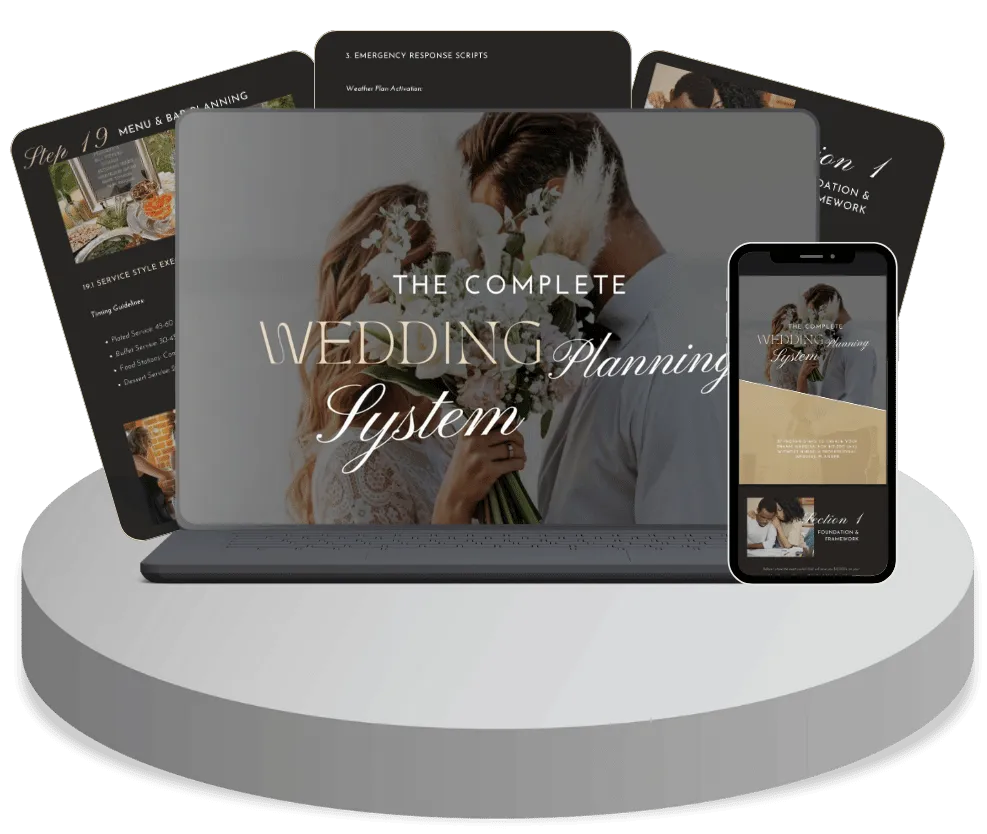
Here's what you get:
23 Tab Wedding Planner Spreadsheet
Works For Excel & Google Sheets
Live budget & expense tracker
Seating Chart
Task Checklist With Progress Tracking
Bachelorette & Shower Planners
Rehearsal & Honeymoon Planners
Photography, Music & Emergency Lists
Today Just
$27 one time

"Everything finally in one place!"
"One file for your budget, guests, vendors, and timeline. Nothing scattered across notebooks, apps, and email threads!" - Sarah M 🇺🇸
WHO IS THIS FOR
This System Works For Every Couple Planning For The Big Day
Budget-Conscious Couples
DIY-Loving Creatives
Time-Strapped Professionals
Detail-Oriented Planners
Pinterest-Inspired Dreamers
Financially Savvy Savers
Hands-On Decision Makers
Organization Enthusiasts
Customization Seekers
First-Time Planners
Overwhelmed Couples
Stress-Free Celebrators
TESTIMONIALS
See How Couples Can Benefit From This

"Everything finally in one place"
"One file for your budget, guests, vendors, and timeline. Nothing scattered across notebooks, apps, and email threads!"
- Sarah Mitchell, Chicago
"The math does itself"
"Log an expense and your remaining budget updates instantly. Add a guest and your meal counts and seating update too"
- Emma Rodriguez, Boston

"We were never out of sync. It's great!"
"Share one live file in Google Sheets so you and your partner always see the same numbers, the same guest list, the same to-do list.!"
- Michelle Chen, Seattle
STILL GOT QUESTIONS?
Frequently Asked Questions
How do I receive the spreadsheet after buying?
Instantly. The moment your payment goes through, you'll get a download link — no waiting, no shipping. The file is yours to keep forever.
Does it work in Google Sheets, or only Excel?
Both! You'll receive the link to the spreadsheet in Google Sheets. From there you'll be asked to create a copy for yourself. If you want to open it with Excel, you are free to do so.
Do I need to be good with spreadsheets to use this?
Not at all. If you can type in a box, you can use this. There are no formulas to write or settings to configure — you just fill in your own details and the spreadsheet does the calculating for you. The Start Here tab walks you through everything step by step.
I've already started planning. Can I still use it?
Yes. Start by entering your wedding date and budget on the Dashboard, then add whatever you've already organised — vendors booked, guests invited, expenses paid. There's no "right" order to fill it in, so you can jump straight to whatever you need.
Can I share it with my partner or family?
Yes. Save it to Google Sheets and you can share one live file with your partner, a parent, your maid of honour — anyone you like. Everyone sees the same numbers, guest list, and to-do list, updated in real time.
Is this only for US weddings?
No. It works for weddings in the US, UK, Canada, Australia, and New Zealand. The file includes a built-in guide showing how to switch the currency, terminology, and legal steps to match your country — it takes a couple of minutes.
Privacy Policy | The Digital Packs™ | Terms & Conditions